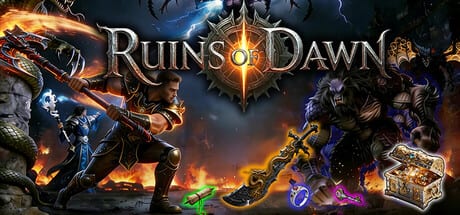
Ruins of Dawn 1.0 Launch Guide
The full loot ARPG is on Steam — what to buy, what the demo still teaches, and how to spend your first launch-day hours.
Ruins of Dawn (破晓之墟) from solo developer 刷宝爱好者 released on Steam on August 14, 2026. The store page no longer lists a coming-soon countdown: the isometric loot ARPG is buyable, tagged Adventure / Indie / RPG, and ships with Steam Cloud, Family Sharing, single-player, online co-op, and LAN co-op. This launch guide is the post-release on-ramp — use it with Getting Started if you have never opened the village, and with Updates if you already played RuinsofDawnDemo.
Treat launch-week balance, drop rates, and localization as live and still patching. The developer has not posted a public Steam news changelog at the moment of writing, so community reports from demo, playtest, and day-one threads remain the best field notes.
Buy, Demo, or Both
| Option | What it is | When to use it |
|---|---|---|
| Full game | Steam app 4364910, listed around $7.99 / 8,15€ depending on region | You want the complete map set, T3 routes, and co-op with friends |
| RuinsofDawnDemo | Free preview app 4743300, live since June 4, 2026 | You want to test forging, class swaps, and English UI before spending |
The demo still exists after launch. Use it as a systems classroom, not as a guaranteed save file for 1.0. Steam discussions repeatedly ask whether demo progress carries over — the developer has not confirmed save inheritance. Assume you start fresh on the paid client unless Steam Cloud later proves otherwise. Log skill milestones in the demo tracker either way.
Languages on the store page are English and Simplified Chinese (interface and subtitles). Preview players still report leftover Chinese strings in menus; set language in Settings → General before you judge the game. This wiki stays in English, French, German, and Spanish — we do not ship Simplified Chinese pages.
Hardware, DirectX 12, and First Launch
Confirm system requirements before you queue a download. The store lists DirectX 12, Windows 10/11, 8 GB RAM minimum, and a GTX 1050 Ti class GPU. Recommended is closer to a GTX 4060 with 16 GB RAM and 8 GB of disk. Community crash threads often point at outdated GPU drivers (including AMD 26.6.2 FSR4 issues on playtest builds) and a “Exceeding maximum Number of Objects” error on dense packs.
Launch-day checklist:
- Update GPU drivers, then reboot.
- Cap FPS if isometric combat feels unstable.
- Bind movement, dash, potions, and town portal from Controls before you pull wolves.
- Bookmark known issues if you hit pickup bugs, enchant resets, or set bonuses that refuse to apply.
First Hour in the Village
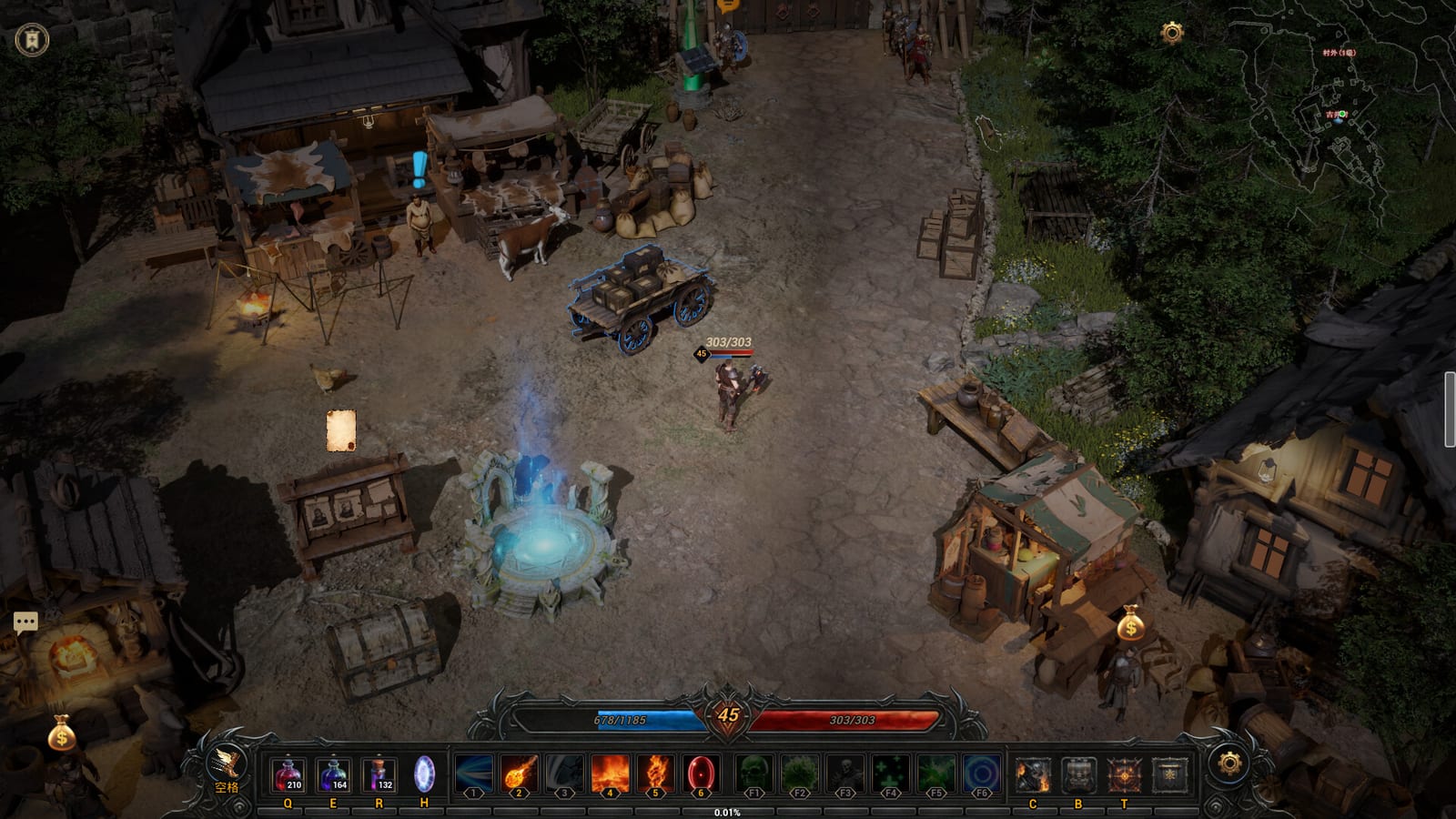
You spawn near training dummies and a tutorial wolf, then walk into the starting village. Community write-ups name Gu Jing village (古井村) and later Orc woodland (兽人林地) as the next named hubs — see Maps for the atlas. Practical first-hour habits that still hold at 1.0:
- Follow the village chief main quest. The map (M) draws a green path; unfinished bounty or story steps do not save mid-objective, so finish a quest before you quit.
- The blue teleport station lists unlocked waypoints. Hub-to-hub travel is often free; deeper pins cost gold. Returning from town to your last field pin is level-scaled — community reports 1,000 gold at level 1 for that recall.
- The bounty board next to the teleporter allows one active bounty; refresh costs scale with level. Details live on Bounties.
- The in-game Guide button (lower-right in many builds) lists monster drop tables. Use it instead of guessing which pack drops your missing affix.
Pick Mage or Warlock for the first clear if you want speed or safety, then swap to Warrior when you need boss burst. Class switching is free — Class switching explains stash carryover.
What 1.0 Expects You to Learn Fast
Launch content is the same loot loop the demo taught, stretched across more maps and a T3 gear ceiling:
- Affix fractions such as
/5on gear — Items. - Forging: quality upgrade, reforge, extract (destroys the donor, one affix), inject — Forging.
- Enchant storage clears when you log out. If you extract a premium line, inject it onto a stashed base before you quit. Community reports this wipe repeatedly.
- Legendaries cannot be extracted or injected. They are early spikes, then they lose to DIY rares. See Legendaries and Sets.
- Skill books drop from monsters and bosses; a scholar NPC sells early books, trades same-tier books, and combines two lower books into the next rank. Skills covers the library.
- Three loadout sets on the character screen (I / II / III) swap full gear. Loadouts maps farm / boss / hard presets.
When random mapping stops upgrading you, farm Orc woodland then Bear Valley on normal until T3 cores land. Do not toggle hard mode because a streamer did — community threads describe XP loss on death, T2 weapons bouncing off hard bosses, and the Bear King two-shotting under-geared Warriors around level 36.
Co-op, Cloud, and Friends
Steam lists online co-op and LAN co-op. Party etiquette, loot callouts, and portal discipline live on Co-op. Steam Cloud should sync between PCs on the same account; it does not answer the demo-to-full transfer question. Family Sharing lets another household Steam user play the license under Steam’s usual sharing rules.
Controller support is an open community question with no store-page guarantee — mouse and keyboard remain the documented layout in Controls.
How This Wiki Is Organised After Launch
If you are new, walk this order:
- This page and Getting Started.
- Projectile Mage or Beginner builds depending on whether you found homing projectiles.
- Bosses before you camp Bear King.
- Known issues when something feels broken rather than hard.
Dropdown menus show at most eight child links; extra guides sit on each hub. Use Guides, Builds, Gear, and Systems when the header panel says View all.
Launch day is the start of the loot loop, not the end of documentation. Come back after patches — Updates will record official notes when they appear.
Frequently Asked Questions
Quick answers to the most common questions.
Is Ruins of Dawn released?
Yes. Steam lists the full game as released on **August 14, 2026**. The free **RuinsofDawnDemo** remains available for practice.
How much does Ruins of Dawn cost?
Regional Steam pricing has shown about **$7.99 USD / 8,15€**. Confirm the live store widget; this wiki does not sell keys.
Will my demo save carry into 1.0?
Not confirmed. Community threads ask this often. Treat demo hours as practice and start the paid client fresh unless the developer posts otherwise on [Updates](/review/updates/).
Should I still play the demo after launch?
Yes, if you want a free test of forging and class swaps. Buy 1.0 when you want the full map set, T3 routes, and co-op with friends — see [Demo guide](/guides/demo-guide/).
What should I do in the first hour?
Finish the village-chief quest, learn [controls](/guides/controls/), read `/5` fractions, and do not extract affixes until you understand [forging](/builds/forging/).